Select Version of EA Desktop:
When Adding a contract, you can link the physical contract, with the location, to the record.
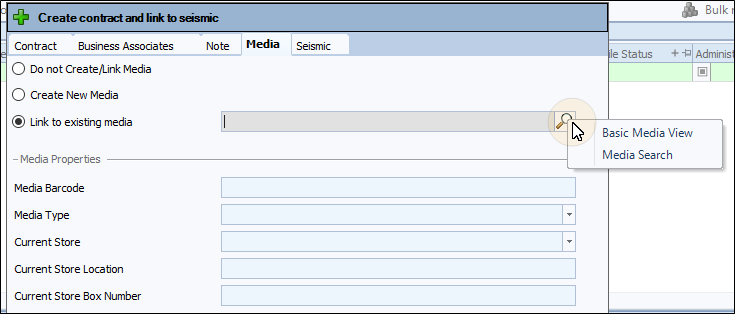
The Media tab of the Create contract and link to Seismic window offers the following actions for media:
- Do not Create/Link Media: add the contract without linking existing media or creating a new media.
- Create New Media: create new media that auto-links to the contract.
- Link to Existing Media: select existing media to link to the contract record.
 To link to existing contract media...
-
With the Create contract and link to seismic window open, click the Media tab.
-
Select Link to Existing Media.
-
Click search and select whether to search with the Basic Media View or the Media Search option.
-
Enter your search criteria.
-
Click Search.
-
In the results window, select the target media and click OK.
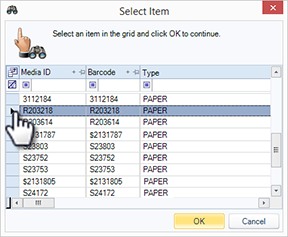
The window closes and the media displays in the Media Properties of the Create contract and link to seismic window.
-
If complete, click Save. Alternatively, continue with another tab.